
sipariş maili

silbas

OpenCart-TR
Katılım
18 Ocak 2014
Mesajlar
3
Tepkime puanı
0
Puanları
0
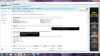
arkadaşlar e-ticaret sitesi için bir arkadaştan modül aldık. şahsen bu konularda sıfır denilecek kadar bilgim var hergün araştıra araştıra bişeyler öğrenmeye başladım. paketi aldığımız arkadaş oldukca duyarlı birisi ancak bazı sorunları çözemiyor..şimdi sorun şu;
bir sipariş verildiğinde, ödeme şekli havale/eft olarak seçildiğinde ve işlem tamamlandığında (diyelim ki alıcı garanti bankasını seçti)alıcıya blgi maili gidiyor. bilgi maili içinde sipariş numarası var kargo fatura dares bilgileri var, uzak mesafe satış sözleşmesi alt tarafta buralarda sıkıntı yok ancak, talimatlar kısmında şu sekilde bir ibare var
Banka Havalesi / EFT Talimatları


Siparişinizi verdikten sonraki 5 iş günü içinde havale/eft yapmadığınız taktirde siparişiniz iptal olur.
Garanti Bankası


yani bankanın adı var fakat o bankaya ait hesap numarası veya IBAN numarası çıkmıyor. 3-4 banka ile çalışacağız ve müşteri hangi bankayı seçerse o bankanın bilgilerinin aynı mail içinde gözükmesi gerekiyor..

bu konuda yardımcı olabilirseniz sevinirim....
 

Ekli dosyalar

  • istek.jpg
    istek.jpg
    233 KB · Görüntüleme: 58

yigityaren

OpenCart-TR
Katılım
20 Ara 2013
Mesajlar
4
Tepkime puanı
0
Puanları
0
maili gönderimi yapan kodların arasına bi kaç tane kod eklemesi yapılması gerekli.
kod yazma bilgin yoksa işinin biraz zor olacağını düşünüyorum.
 

silbas

OpenCart-TR
Katılım
18 Ocak 2014
Mesajlar
3
Tepkime puanı
0
Puanları
0
hiç yok mağlesef:(
temayı aldığım arkadaş da yapamadı
 

yigityaren

OpenCart-TR
Katılım
20 Ara 2013
Mesajlar
4
Tepkime puanı
0
Puanları
0
mail adresini ver ordan görüşelim detaylı olarak belki yardımcı olabilirim.
 

Johnie due

OpenCart-TR
Katılım
17 Kas 2026
Mesajlar
109
Tepkime puanı
0
Puanları
16
Yaş
25
Amazon.com/mytv activation helps users connect their smart TVs and streaming devices to their Amazon accounts. Learn how to find the activation code and enter it through the official Amazon website. Follow simple instructions to complete the device registration process.
Looking for an easy way to complete Amazon.com/mytv activation? This guide explains how to locate your TV activation code and link your device to your Amazon account. Follow the step-by-step process to enjoy your favorite Prime Video content.
Amazon.com/mytv activation is a simple process that allows users to register compatible televisions with their Amazon accounts. Discover how to generate the activation code, enter it correctly, and complete device setup. Enjoy convenient access to supported streaming services.
Learn how to use Amazon.com/mytv activation to connect your smart TV to your Amazon account. This guide covers the basic registration steps, activation code entry, and common troubleshooting methods. Get your device ready for streaming with ease.
Amazon.com/mytv activation makes it easier to access Prime Video on compatible smart TVs and streaming devices. Find out how to display your activation code and complete the account-linking process. Follow the instructions for a smooth setup experience.
 

Johnie due

OpenCart-TR
Katılım
17 Kas 2026
Mesajlar
109
Tepkime puanı
0
Puanları
16
Yaş
25
Amazon.com/mytv activation provides an easy way to link supported smart TVs with an Amazon account. Learn how to access the activation screen, retrieve the displayed code, and complete device verification. Follow this guide for a better streaming experience.
Understanding Amazon.com/mytv activation can make your smart TV setup easier and faster. This guide provides useful information about finding the activation code and entering it correctly. Complete the registration process to access supported Amazon streaming features.
Are you having trouble with Amazon.com/mytv activation? Learn how to check your TV registration code and follow the correct account-linking instructions. Explore practical troubleshooting tips for expired codes, connection problems, and unsuccessful activation attempts.
Amazon.com/mytv activation allows users to connect compatible televisions to their Amazon accounts through a simple code-based process. Discover how to find and submit your activation code. Follow the instructions to complete your device setup conveniently.
 

Johnie due

OpenCart-TR
Katılım
17 Kas 2026
Mesajlar
109
Tepkime puanı
0
Puanları
16
Yaş
25
Make your television setup easier with Amazon.com/mytv activation instructions. Learn how to register your smart TV, enter the displayed code, and connect your Amazon account. This guide covers the essential steps for a smooth activation experience.
Amazon.com/mytv activation is useful for anyone who wants to access Prime Video through a compatible television. Find out how the device registration process works and how to enter your activation code. Follow the simple steps to get started.
Learn everything about Amazon.com/mytv activation and how it helps connect streaming devices to Amazon accounts. From finding your unique code to completing registration, this guide explains the basic procedure. Enjoy a convenient way to set up your TV.
If your television displays an activation code, Amazon.com/mytv activation can help you complete the registration process. Learn how to enter the code through the official Amazon website and connect your account. Follow the steps for a hassle-free setup.
 

Johnie due

OpenCart-TR
Katılım
17 Kas 2026
Mesajlar
109
Tepkime puanı
0
Puanları
16
Yaş
25
Explore an easy guide to Amazon.com/mytv activation for compatible smart TVs and streaming devices. Understand how to generate the activation code and use it to register your device. Get useful information to make your streaming setup simple.
Amazon.com/mytv activation helps users enjoy supported streaming services by connecting their televisions to Amazon accounts. Learn how to retrieve your device code and complete the activation process. Follow the correct instructions for successful registration.
Setting up Prime Video becomes easier with the Amazon.com/mytv activation process. Discover how to find the code displayed on your television and link your Amazon account. This guide provides simple steps to help you complete device activation.
Looking for reliable information about Amazon.com/mytv activation? This guide covers device registration, activation code entry, and account linking. Follow the recommended steps to connect your smart TV and access supported entertainment services.
 

Johnie due

OpenCart-TR
Katılım
17 Kas 2026
Mesajlar
109
Tepkime puanı
0
Puanları
16
Yaş
25
Amazon.com/mytv activation helps simplify the process of connecting a television to an Amazon account. Whether you are using a new smart TV or reconnecting an existing device, the correct instructions can save time. Learn the essential activation steps here.
Discover how Amazon.com/mytv activation works and why an activation code is required during device setup. This guide explains how to locate the code and enter it using the official Amazon registration process. Complete your TV setup with confidence.
Complete Amazon.com/mytv activation by following a few simple device registration steps. Find the code displayed on your television and use the official Amazon website to link your account. Explore helpful tips for avoiding common activation problems.
 

Johnie due

OpenCart-TR
Katılım
17 Kas 2026
Mesajlar
109
Tepkime puanı
0
Puanları
16
Yaş
25
If you are setting up Prime Video on a new television, Amazon.com/mytv activation is an important process to understand. Learn how to retrieve your device code and complete registration through Amazon. Follow the instructions for a convenient setup.
Amazon.com/mytv activation allows users to register their compatible televisions through a code-based account connection. Discover how to enter the displayed activation code and verify your device. Get helpful information for completing the setup process correctly.
Make streaming more convenient by learning about Amazon.com/mytv activation. This guide explains how to connect your smart TV with your Amazon account and complete device registration. Follow the easy instructions to access supported streaming features.
Having trouble connecting your smart TV? Amazon.com/mytv activation instructions can help you understand the registration process. Learn how to generate a fresh activation code, check your internet connection, and complete account linking successfully.
 

Johnie due

OpenCart-TR
Katılım
17 Kas 2026
Mesajlar
109
Tepkime puanı
0
Puanları
16
Yaş
25
Amazon.com/mytv activation helps users enjoy their favorite streaming content on compatible televisions. This guide provides information about activation codes, account registration, and device connection. Follow the step-by-step instructions for a convenient experience.
Registering your television is simple when you understand Amazon.com/mytv activation. Learn how to display your activation code, connect your Amazon account, and troubleshoot common registration issues. Get your compatible device ready for streaming with ease.
Amazon.com/mytv activation offers a convenient way to link your smart TV with your Amazon account. Explore the registration requirements and learn how to enter your unique activation code. Follow the recommended steps to complete the setup process successfully.
Understand the Amazon.com/mytv activation process to make your Prime Video device setup easier. This guide explains how to retrieve your activation code and use the official Amazon website for registration. Get helpful tips for a smooth and reliable connection.
Amazon.com/mytv activation helps users connect their compatible smart TVs to their Amazon accounts through a simple registration process. Learn how to find your activation code and enter it correctly on the official Amazon website. Follow easy instructions to complete your device setup.
 

Johnie due

OpenCart-TR
Katılım
17 Kas 2026
Mesajlar
109
Tepkime puanı
0
Puanları
16
Yaş
25
Looking for a simple guide to Amazon.com/mytv activation? Discover how to register your television, enter the displayed activation code, and connect your Amazon account. Follow the recommended steps to enjoy supported streaming services without unnecessary complications.
Complete your smart TV registration using the Amazon.com/mytv activation process. Understand how to locate your unique activation code and submit it through the official Amazon registration page. Follow the correct procedure to connect your device successfully.
Amazon.com/mytv activation provides an easy way to register supported smart TVs and streaming devices. Discover how to enter your device code and complete the required account verification. Follow this guide to make your television setup easier.
Discover how to use Amazon.com/mytv activation when setting up Prime Video on your smart TV. This guide explains the code-based registration process and provides helpful account-linking instructions. Follow the steps to prepare your device for streaming.
 

Johnie due

OpenCart-TR
Katılım
17 Kas 2026
Mesajlar
109
Tepkime puanı
0
Puanları
16
Yaş
25
Want to enjoy Prime Video on your television? Amazon.com/mytv activation helps you connect supported devices to your Amazon account. Learn how to enter your activation code and follow the registration instructions for a smooth setup experience.
Understanding Amazon.com/mytv activation can help you avoid common device registration problems. This guide covers activation code entry, account linking, and basic troubleshooting steps. Follow the instructions to connect your compatible television successfully.
Amazon.com/mytv activation is useful for connecting new smart TVs and streaming devices to an Amazon account. Learn how to display the registration code and complete the activation process online. Enjoy a simple and organized device setup experience.
Make your Prime Video setup easier with Amazon.com/mytv activation instructions. Discover how to retrieve the code from your television and enter it on the official Amazon website. Follow the correct steps to finish connecting your device.
Amazon.com/mytv activation helps simplify the process of connecting Prime Video to your smart TV. Follow the on-screen instructions to generate your activation code and complete account registration. Discover useful guidance for a hassle-free setup.
 

Johnie due

OpenCart-TR
Katılım
17 Kas 2026
Mesajlar
109
Tepkime puanı
0
Puanları
16
Yaş
25
Learn how Amazon.com/mytv activation works when registering your smart television for Prime Video. This guide provides clear information about finding your activation code and connecting your Amazon account. Follow the process to get started with streaming.
Amazon.com/mytv activation offers a convenient way to connect supported streaming devices with your Amazon account. Whether you are registering a new device or reconnecting an existing one, the correct steps are important. Explore this guide for helpful setup information.
Complete your television registration with the help of Amazon.com/mytv activation. Learn how to find your device code, enter it through the official registration page, and check your account connection. Follow simple instructions for a better streaming experience.
Amazon.com/mytv activation helps users access supported Amazon entertainment services on compatible televisions. Understand how the activation code works and how to complete the registration process. Explore practical tips to make device setup more convenient.
If your Prime Video device is not connecting, Amazon.com/mytv activation troubleshooting may help you identify the problem. Learn how to check your activation code, refresh the registration screen, and verify your internet connection. Follow these steps to resolve common setup issues.
 

Johnie due

OpenCart-TR
Katılım
17 Kas 2026
Mesajlar
109
Tepkime puanı
0
Puanları
16
Yaş
25
Amazon.com/mytv activation is a straightforward way to link your smart television with your Amazon account. Discover how to generate the activation code and submit it correctly. Follow the registration instructions to complete your device setup.
Explore an easy-to-follow guide for Amazon.com/mytv activation and smart TV registration. Learn where to find your device code and how to use the official Amazon website to connect your account. Get useful information for a smooth setup.
Amazon.com/mytv activation makes it easier to start watching supported streaming content on your television. This guide explains how to register your device using the activation code displayed on the screen. Follow the instructions for a convenient experience.
Setting up a compatible smart TV becomes easier with Amazon.com/mytv activation. Learn how to connect your Amazon account, enter the required registration code, and complete device verification. Explore simple steps to avoid common activation difficulties.
Amazon.com/mytv activation helps users connect their televisions to their Amazon accounts without complicated manual registration. Discover how to locate the code and complete the account-linking process online. Follow the recommended instructions for successful setup.
 

Johnie due

OpenCart-TR
Katılım
17 Kas 2026
Mesajlar
109
Tepkime puanı
0
Puanları
16
Yaş
25
Find out how Amazon.com/mytv activation supports device registration and Prime Video access. This guide covers the activation code process, account connection, and useful troubleshooting suggestions. Get started with your compatible television using easy instructions.
Amazon.com/mytv activation is an essential process for users setting up Prime Video on supported smart TVs. Learn how to access the registration screen and submit the unique activation code. Follow the steps to complete your device connection.
Looking for help with Amazon.com/mytv activation entry? This guide explains how to find the code displayed on your television and use it through the official Amazon registration process. Discover useful solutions for common device-linking problems.
Amazon.com/mytv activation provides a simple method for connecting compatible streaming devices to an Amazon account. Learn how to complete the registration process and verify your device connection. Follow this guide for a smooth and convenient setup.
Improve your smart TV setup experience with an Amazon.com/mytv activation guide. Understand how the registration code works and how to enter it correctly. Follow the recommended steps to connect your television and access supported streaming features.
 

Johnie due

OpenCart-TR
Katılım
17 Kas 2026
Mesajlar
109
Tepkime puanı
0
Puanları
16
Yaş
25
amazon.com/mytv provides a simple way to register your Smart TV or streaming device with your Amazon account. Enter the activation code displayed on your TV and follow the instructions to complete the setup. Once your device is connected, you can access Prime Video and enjoy your favorite movies, TV shows, and exclusive entertainment.
Visit amazon.com/mytv to activate Prime Video on your compatible Smart TV or streaming device. Enter the registration code shown on your screen and sign in with your Amazon account. Follow the easy steps to link your device and start watching your favorite entertainment.
Use amazon.com/mytv to connect your Amazon account with your television through a simple device activation process. Open the activation page, enter the code displayed on your TV, and complete the verification steps. This helps you access Prime Video content directly on your compatible device.
Looking for an easy way to set up Prime Video on your TV? amazon.com/mytv allows users to register compatible devices using a unique activation code. Follow the on-screen instructions, link your Amazon account, and enjoy streaming movies and television shows.
amazon.com/mytv makes it easier to activate Prime Video on Smart TVs and supported streaming devices. Visit the website using a browser, enter your TV registration code, and sign in to your Amazon account. Complete the setup process to enjoy convenient access to digital entertainment.
 

Johnie due

OpenCart-TR
Katılım
17 Kas 2026
Mesajlar
109
Tepkime puanı
0
Puanları
16
Yaş
25
To watch Prime Video on your television, visit amazon.com/mytv and complete the device registration process. Enter the activation code displayed on your screen and follow the necessary instructions. Once linked successfully, you can explore a wide selection of movies, series, and other streaming content.
amazon.com/mytv is a useful destination for users who want to connect their televisions with their Amazon accounts. The activation process involves entering a unique device code and completing account verification. Follow the setup instructions to make Prime Video available on your supported TV.
Activate your streaming device easily through amazon.com/mytv by entering the registration code shown on your television. Sign in with the correct Amazon account and follow the instructions to finish device linking. This process helps you enjoy Prime Video entertainment from the comfort of your home.
If you are setting up Prime Video for the first time, amazon.com/mytv can help you complete the TV registration process. Enter the unique activation code displayed on your device and verify your Amazon account. After successful registration, you can start exploring available streaming content.
amazon.com/mytv offers a convenient method to register compatible Smart TVs and streaming devices with your Amazon account. Open the activation page, provide the displayed device code, and complete the required steps. Enjoy a smoother streaming experience with easy access to Prime Video.
 

Johnie due

OpenCart-TR
Katılım
17 Kas 2026
Mesajlar
109
Tepkime puanı
0
Puanları
16
Yaş
25
Connect your television to your Amazon account using amazon.com/mytv and complete the device activation process in a few simple steps. Make sure the code on your TV is entered correctly before submitting it. Once registration is complete, you can enjoy supported Prime Video features and entertainment.
For a smooth Prime Video setup, use amazon.com/mytv to register your compatible television or streaming device. The process requires a valid activation code and access to your Amazon account. Follow the instructions carefully to complete the connection and begin streaming your preferred content.
amazon.com/mytv helps users link their supported devices to an Amazon account without a complicated setup process. Simply open the registration page, enter the code visible on your TV, and complete the verification steps. This makes accessing Prime Video entertainment more convenient.
Want to enjoy Prime Video on a bigger screen? Visit amazon.com/mytv to register your compatible Smart TV using its unique activation code. Sign in to your Amazon account, follow the setup instructions, and complete the device connection to access available streaming entertainment.
Use amazon.com/mytv to simplify the process of connecting Prime Video to your television. Enter the registration code displayed on your TV screen and follow the account-linking instructions. Once the activation is successful, you can explore movies, television shows, and other available content.
 
Üst